Circuit
An administrator describes a process in one sentence and gets a form and an approval flow. Requests then run through approvals, tasks, a signature and an audit trail.
- Live demo
- 2026
At a glance
- Why it matters
- Adding or changing an internal request process (approvals, tasks, a signature, an audit trail) becomes a form to fill in, not a development project.
- My role
- Solo, end to end
- Stack
- React, TypeScript, Vite, Tailwind CSS, Zustand
Try it
Describe a process
This is the generator from Circuit. Pick an example or write your own sentence, and the form and the approval steps build themselves as you type.
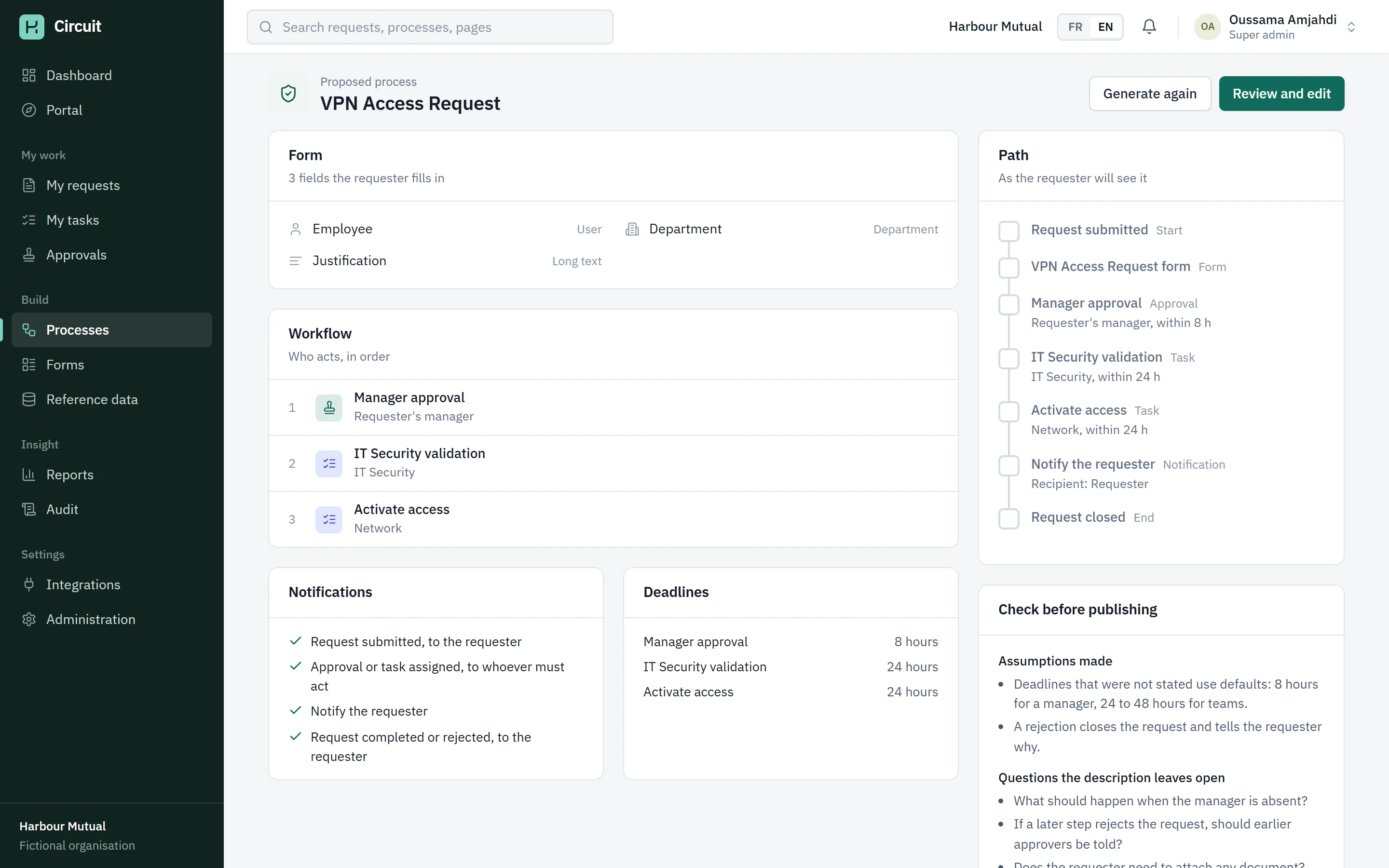
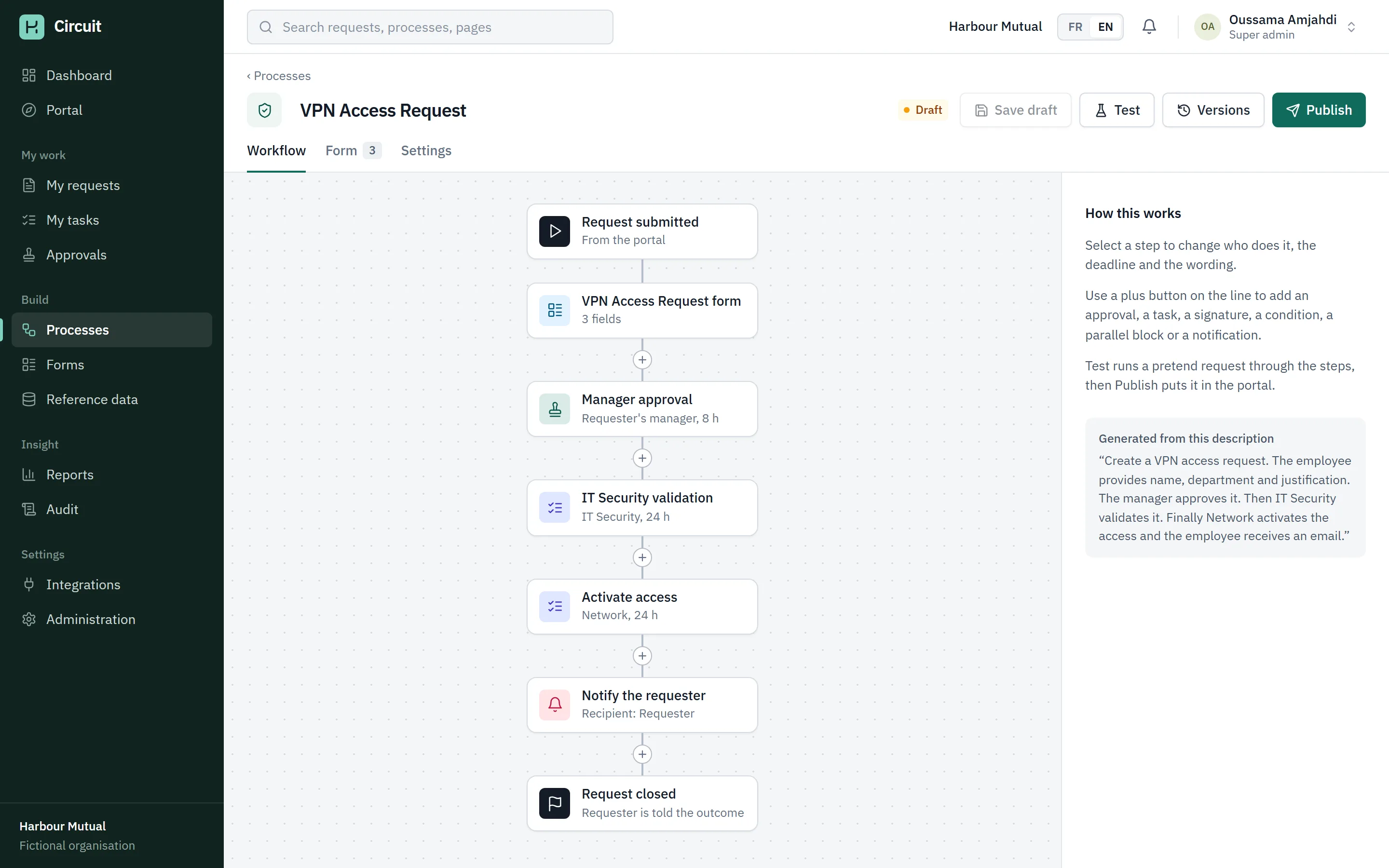
Proposal for VPN Access Request: 3 fields, 3 steps.
The form
VPN Access Request
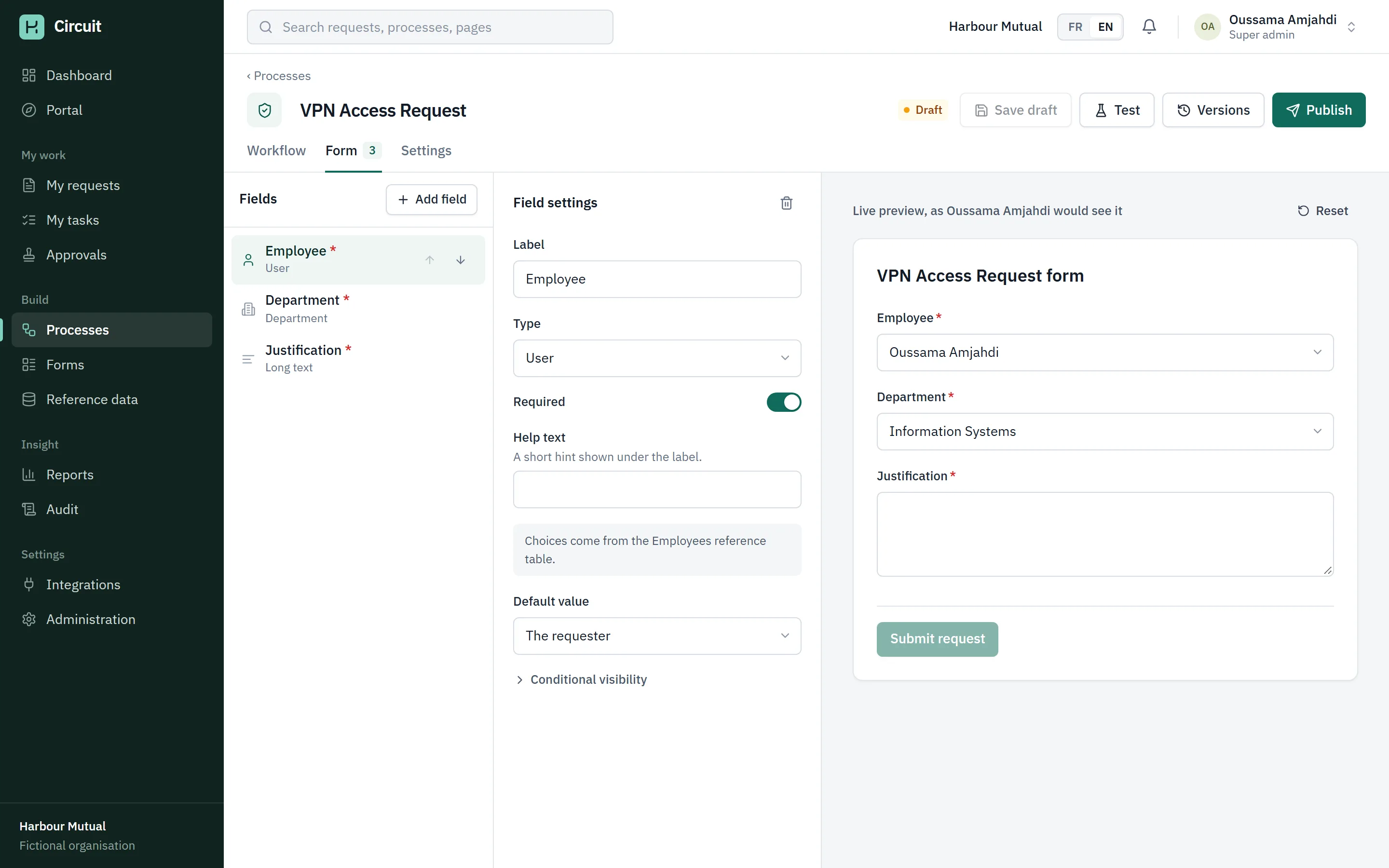
- Employee *User
- Department *Department
- Justification *Long text
Who acts, in order
- Manager approval
- IT Security validation
- Activate access
What it assumed
- Deadlines that were not stated use defaults: 8 hours for a manager, 24 to 48 hours for teams.
- A rejection closes the request and tells the requester why.
The problem
In most companies an internal request is an email. Someone asks for a laptop, a manager replies "ok", IT is copied, and two weeks later nobody can say where the request stands or who approved it.
Tools that fix this usually need a developer for every new process. I wanted to see how far you get when the process itself is just data: write it down, review it, publish it, and let one engine run it.
What it does
An administrator types what should happen, in French or English. Circuit reads the sentence and proposes a form, the steps, who does each one, deadlines and notifications. It also lists what it assumed and what the sentence leaves open.
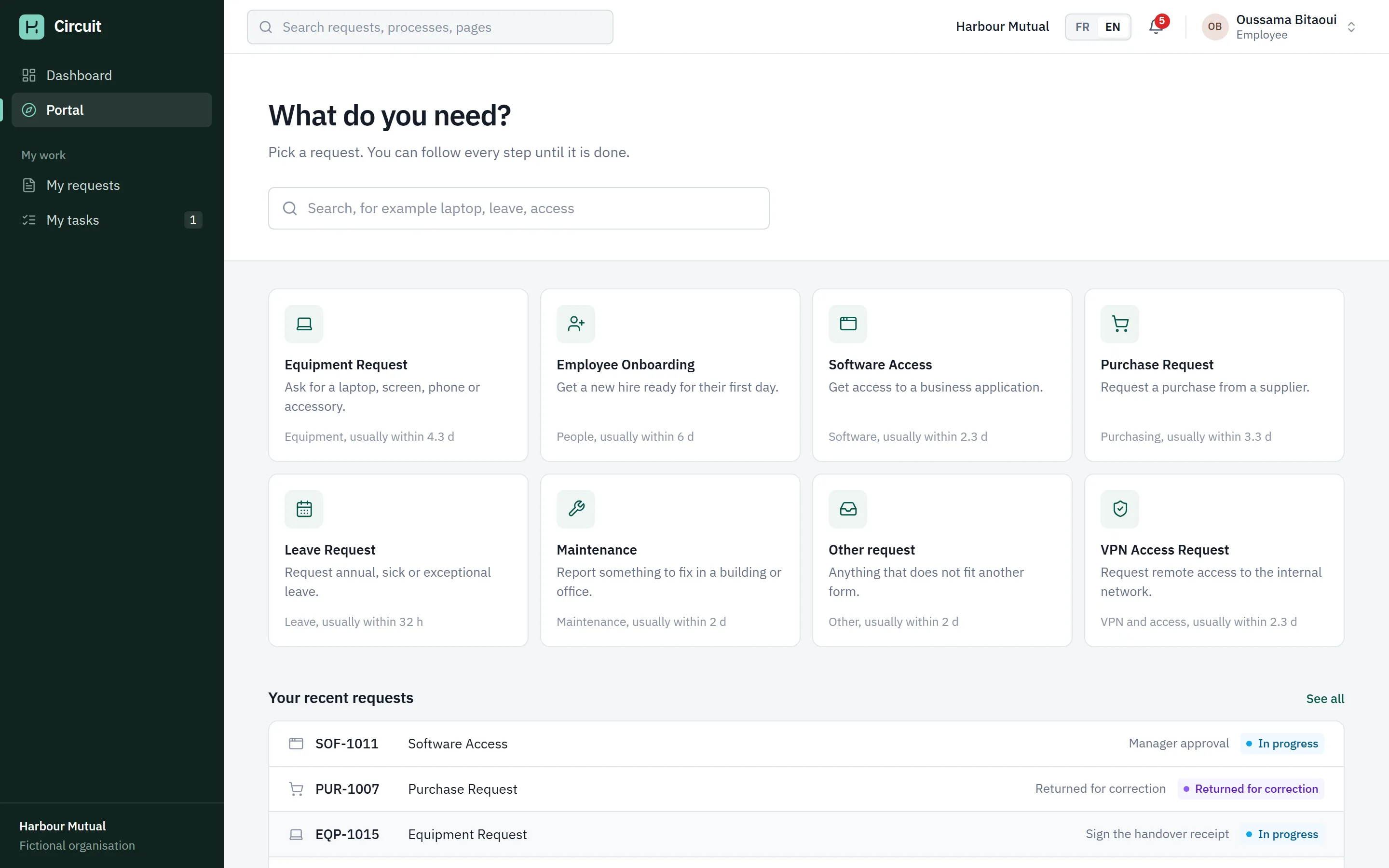
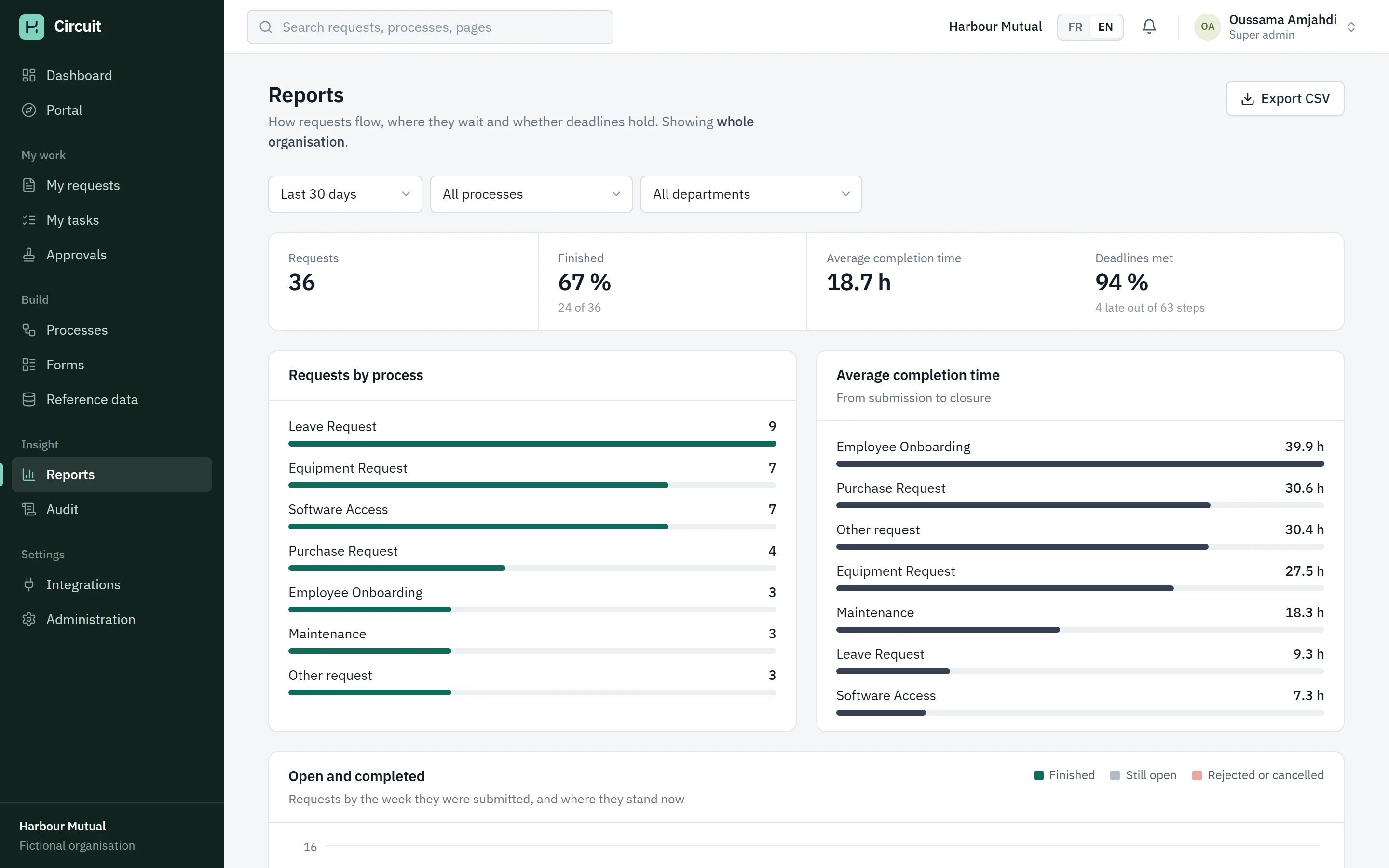
The proposal opens in a builder where every step and field can be changed and tested in a sandbox. Once published, the process appears in a portal. Requests are routed to the right person at run time, with approvals, tasks, conditions, parallel branches, deadlines and escalations. A request can be sent back for correction, and a signature step stores the signed document with its SHA-256 fingerprint. Every action lands in the audit trail, and the dashboard and reports read from the same data.
One request, from description to closed
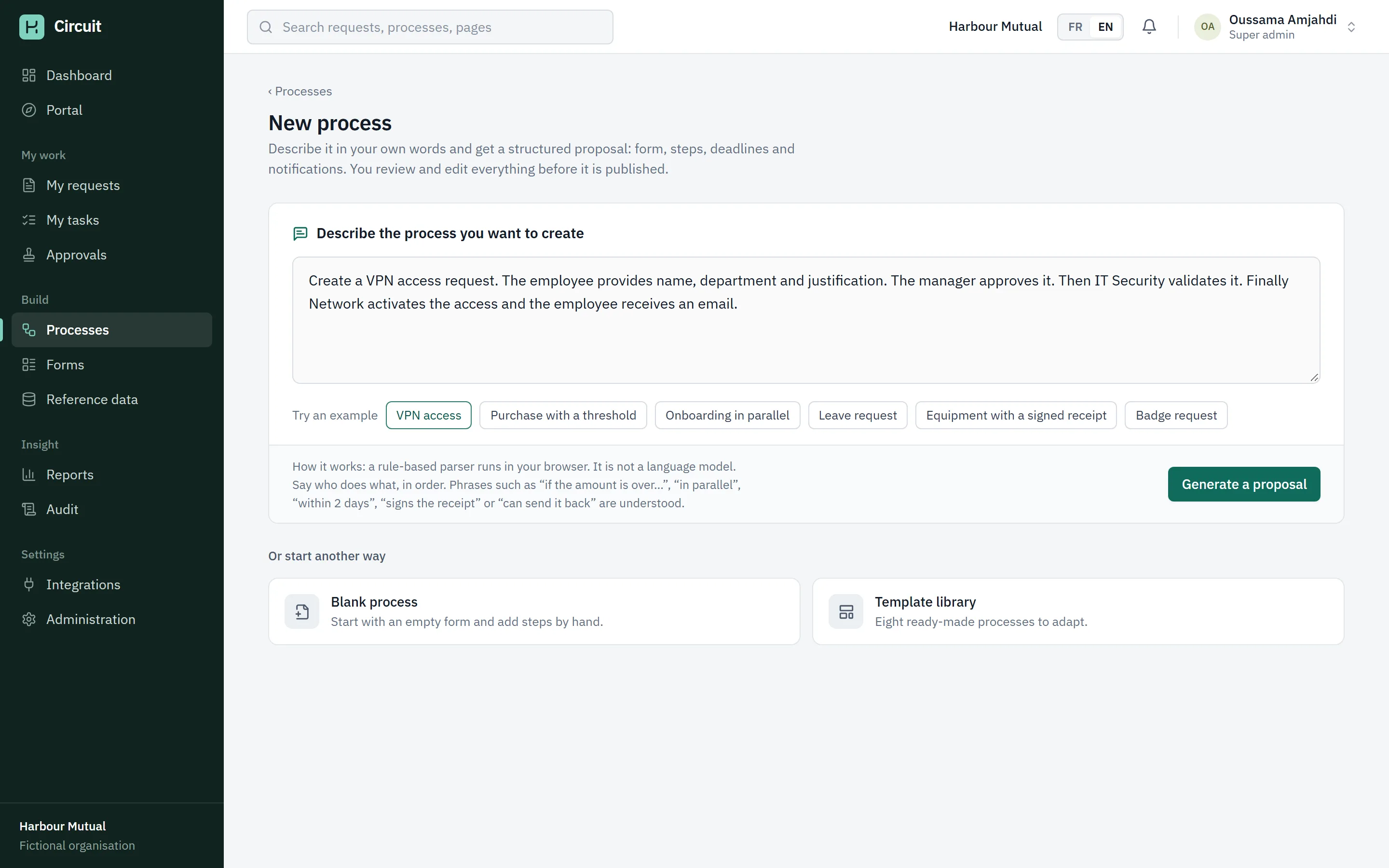
Describe it
The administrator picks an example or writes their own sentence. Here, a VPN access request.
Review the proposal
The form, who acts in which order, deadlines, notifications, and the assumptions the parser made.
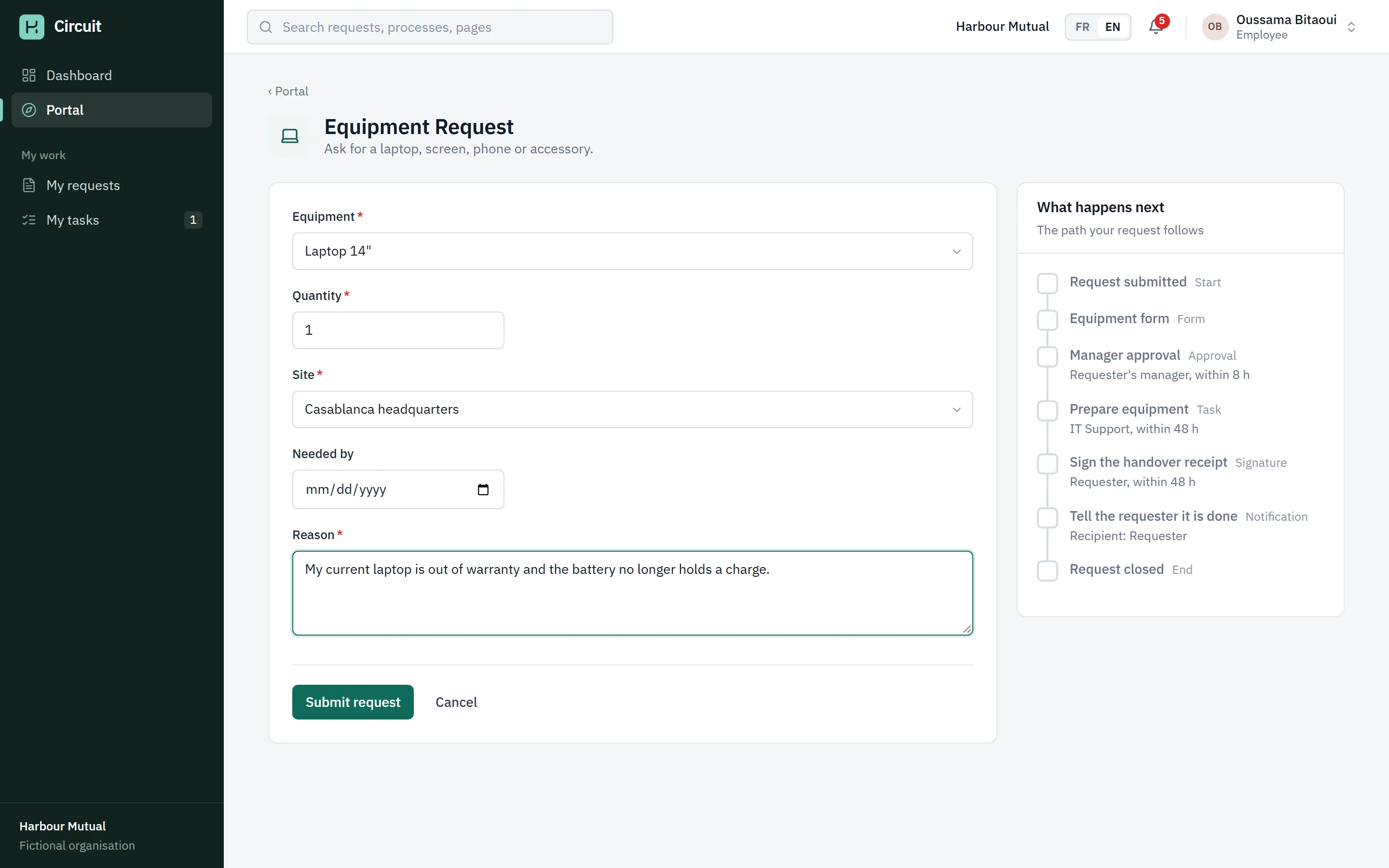
Submit a request
Oussama Bitaoui, in Sales, asks for a laptop through the portal. The form is the one the process defines.
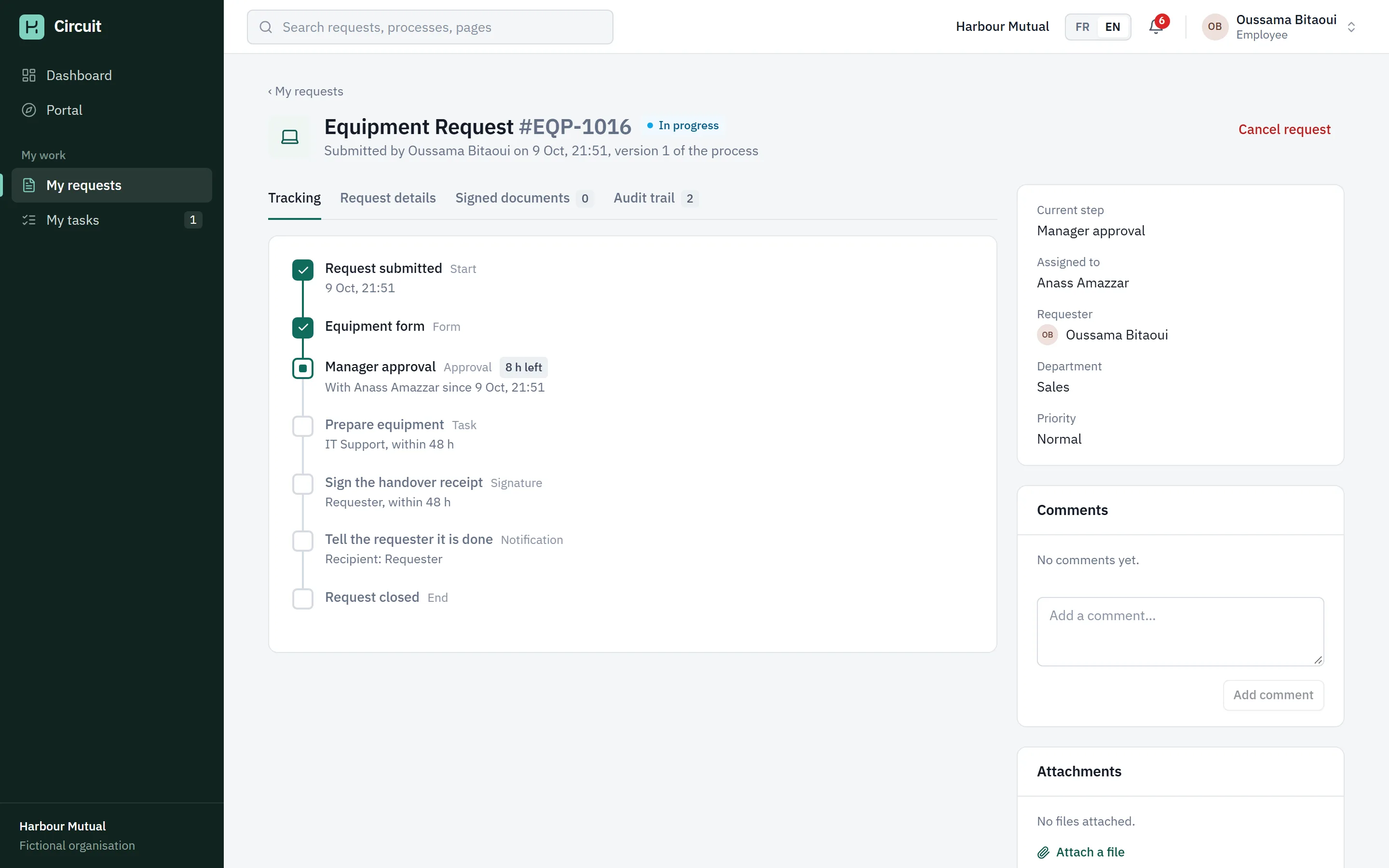
Follow it
The request gets a number and a tracking rail that shows each step and who holds it.
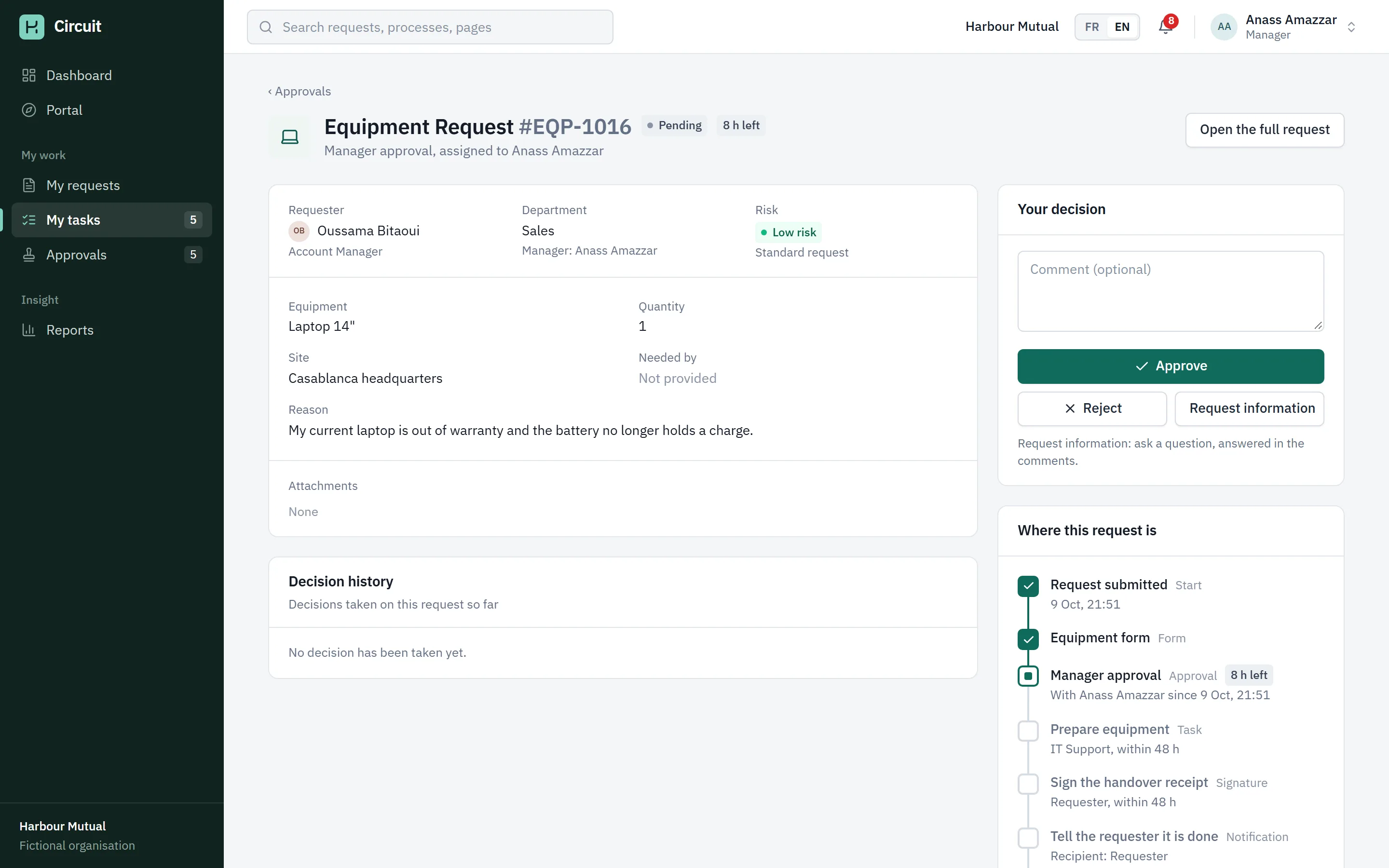
Approve
His manager, Anass Amazzar, sees it in Approvals and approves it. He could also reject it, ask a question or send it back for correction.
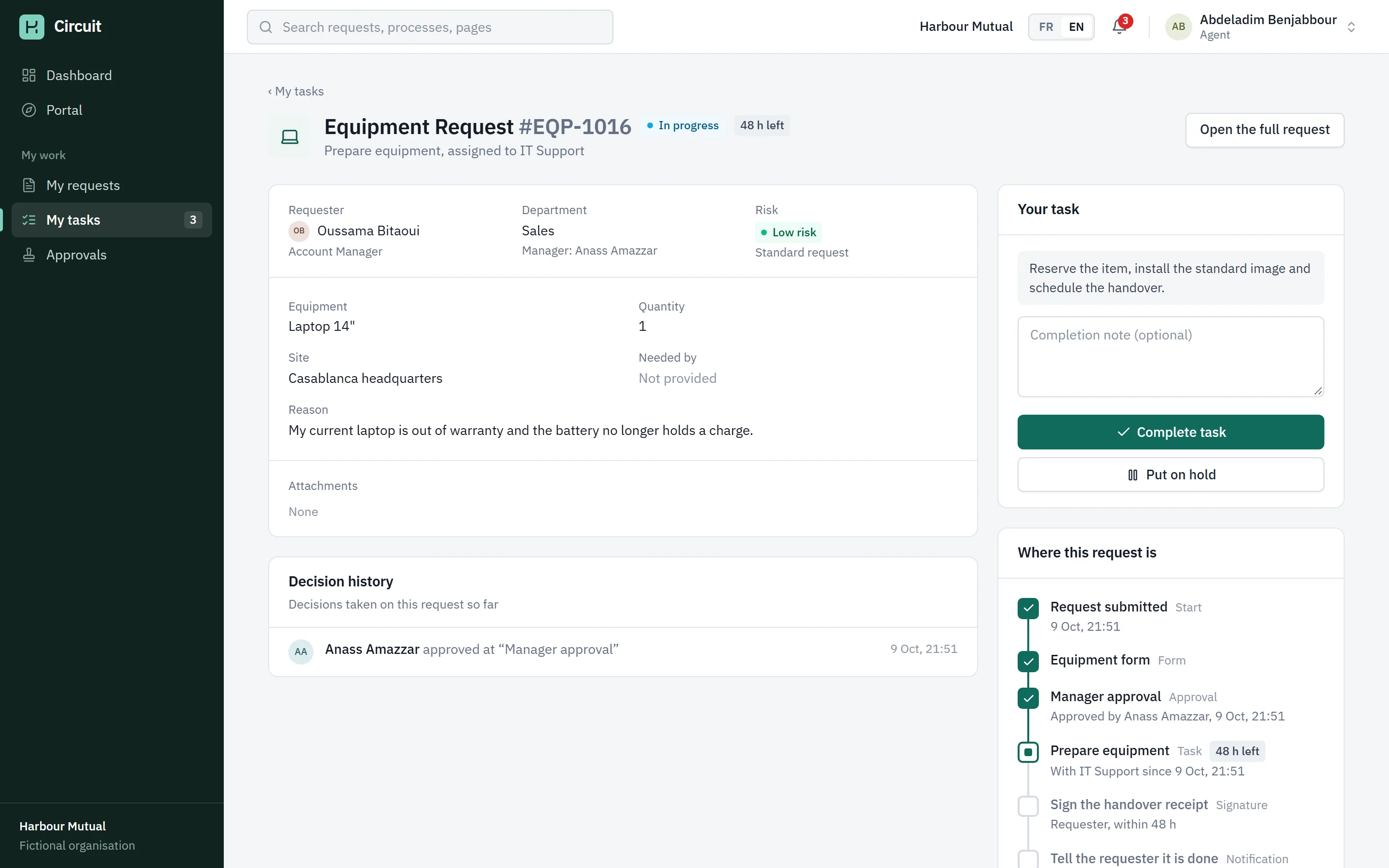
Do the work
Abdeladim Benjabbour in IT Support picks up the task to prepare the laptop and completes it.
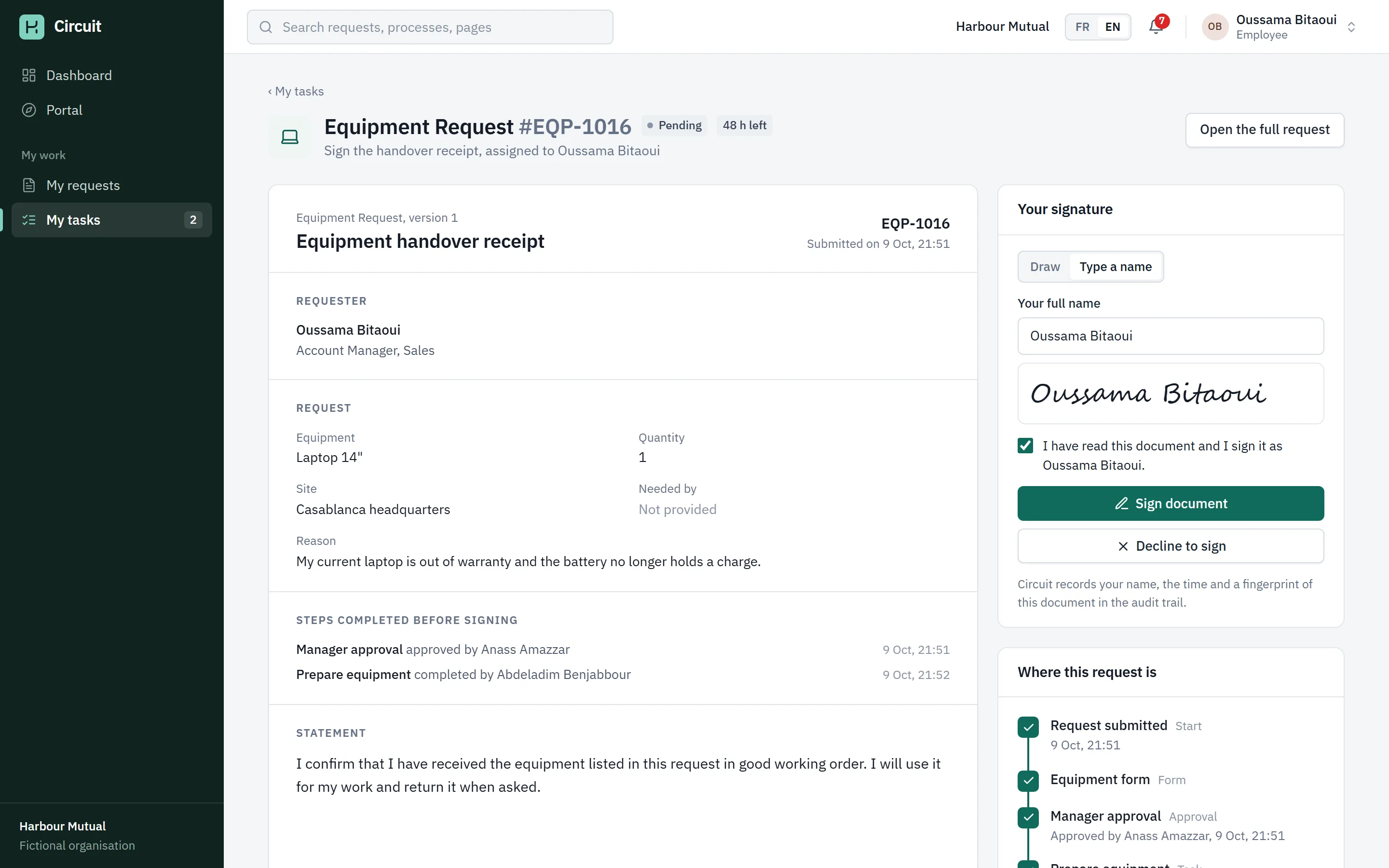
Sign the receipt
Oussama Bitaoui signs the handover receipt. The document he sees is built from his request.
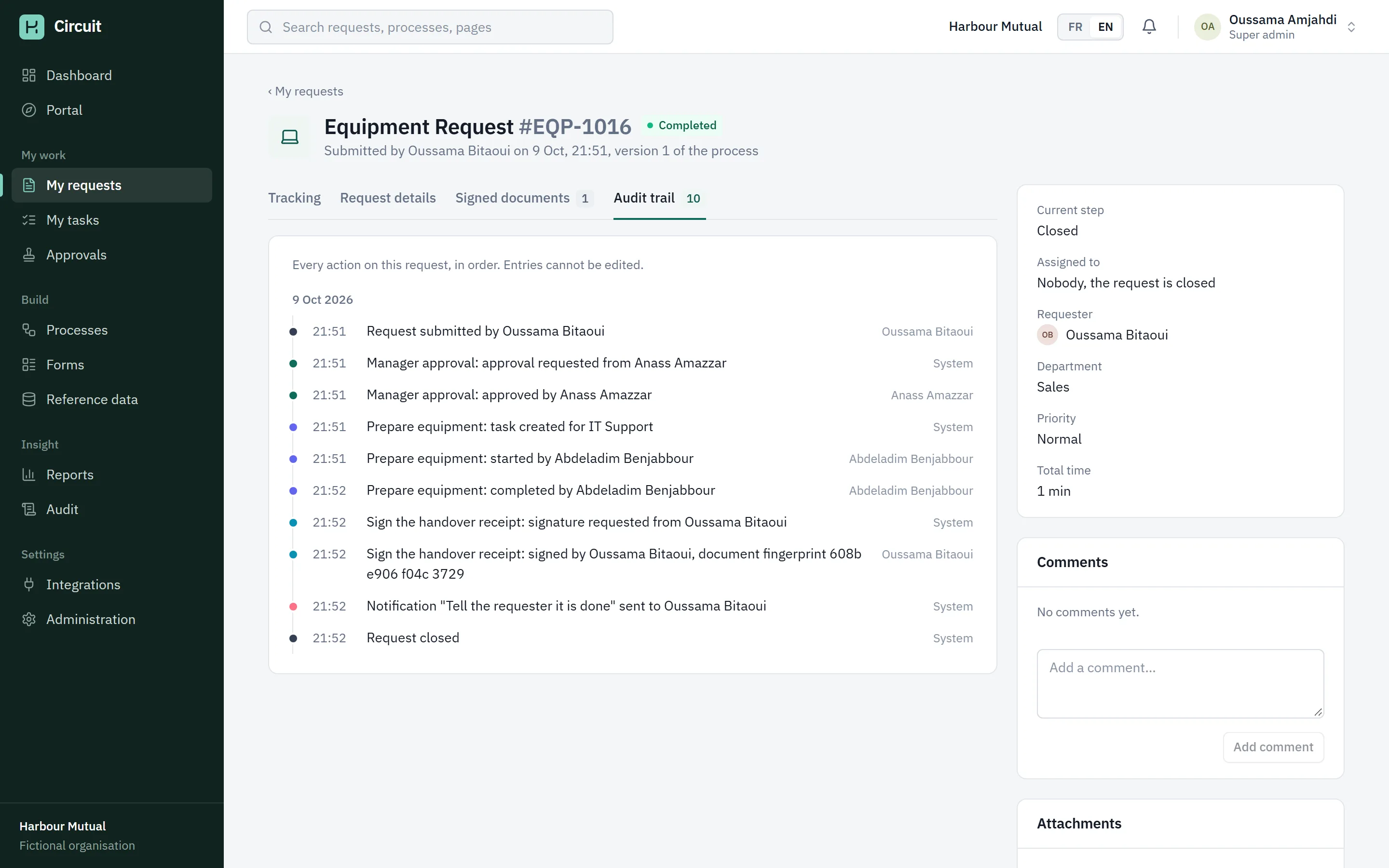
Closed, with a trail
The request is complete. The audit trail lists every action, who did it, when, and the fingerprint of the signed document.
The demo film
The demo script, recorded from the live demo. A process is generated and published, then one equipment request goes from submission to signed and closed. No sound. 1 min 34.
Captures
Architecture
A process is data. One engine runs them all.
Where processes come from
- generator.tsRule-based parser, sentence to Blueprint
- templates.tsReady-made processes, written as data
- BuilderThe administrator edits the same Blueprint
What a process is
- BlueprintA form and a tree of steps
- ProcessVersionPublished versions; running requests keep theirs
The engine
- runtime.tsWalks the step tree, opens tasks, routes, escalates
- rules.tsOne evaluator for conditions and field visibility
- signature.tsBuilds the signed document, hashes it
- sendback.tsRounds of correction, nothing deleted
Where it lives
- useStore.tsOne database object, saved in localStorage
- ScreensPortal, tasks, approvals, audit, reports
Drawn from the folders in the Circuit source. Arrows follow the data.
A process is a form and a tree of steps
A version holds the fields and the steps. Steps are start, form, approval, task, signature, condition, parallel, notification and end. Conditions hold two paths; parallel blocks hold branches that all have to finish.
Routing is decided when a request arrives
A step says who should act as an expression, such as the requester's manager or the IT Support team. The engine resolves it for each request from the directory, with fallbacks so a step always has an owner, and hands work to a delegate when someone is out of office.
Everything is written down
Every engine action adds an audit entry. The request's audit tab, the audit page and the dashboard all read the same list. Sending a request back never deletes anything; earlier tasks and signatures stay in the history.
Decisions
Processes are data
Nothing in the interface or the engine names a specific process. Templates, the generator and the builder all produce the same Blueprint, and one interpreter runs every request. A VPN request and a purchase run through exactly the same code.
The engine is pure
Engine functions take the database and a timestamp and change the data. They never read the clock, the screen or storage. That is why the same code runs live requests, the sandbox in the builder, and the seeded history, which is produced by running the real engine on a simulated clock.
The generator says what it is
It is a rule-based parser of about 600 lines, not a language model. It recognises kinds of request, field lists, a dozen actors, thresholds, parallel work, deadlines and signatures. When it guesses, it says so in the proposal.
A signature you can check, and its limits
The signer sees a document built from the request. Circuit stores that exact document with its SHA-256 fingerprint and checks it again each time it is shown. It is a simple in-app signature, not a qualified electronic signature, and the app says so.
Tested as it is demonstrated
174 unit tests cover the engine, the generator and the French dictionary. Six browser tests play the demo script, signatures, a send-back round trip and a tour of every screen, and fail on any console error.